Free SVG tool · stays on your device
Split SVG by color.
Separate solid-fill artwork into aligned files, keeping its paint order. A repeated color may need more than one numbered pass.
Up to 1 MiB. No file is uploaded.
Or paste SVG source
One color can need more than one file
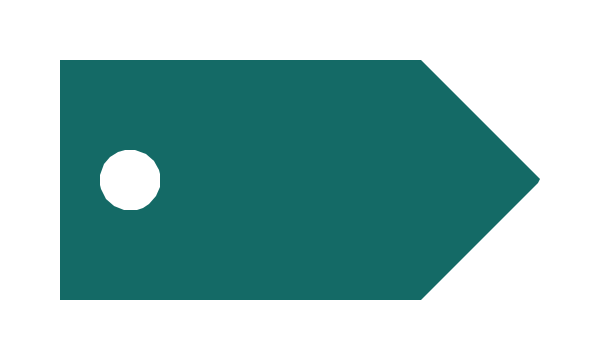
SVG paints shapes in document order. A white background, a teal tag and a white hole need three passes: white, teal, white. Merging both white shapes into one layer either hides the hole or covers the tag. A repeated color is a potential stacking conflict; disjoint shapes may still combine correctly.
How to use the files
Choose an SVG or paste its source, inspect the original and ordered preview, then download the ZIP. Import every pass at the same origin and size, in its numbered order. The manifest lists the order, colors and original canvas. Do not crop each file independently. Reopen the files in your destination editor and check the result before using material.
What stays the same
Every pass keeps the original viewBox, width and height when supplied, shape geometry and supported transforms. A pass contains a consecutive run of shapes with the same resolved fill. White stays in the artwork. Exact colors are not merged, and hidden geometry is not removed. The ordered files preserve supported digital paint order; this is not a knockout or background-removal tool.
Measured on 29 October 2026
We reassembled this tool’s downloaded SVG passes on their original canvases. CairoSVG 2.9.1 rendered the originals and reassemblies as RGBA PNGs without flattening transparency, at source size; we compared premultiplied RGBA pixels. For the 600 × 360 tag, ordered passes changed 0 of 216,000 pixels. Putting both white passes below teal changed 2,963 pixels and removed the white hole. For the 600 × 600 decal, ordered passes changed 0 of 360,000 pixels. To repeat, download the source examples, split them, reassemble in numbered order without resizing, and render at those dimensions. These results cover these two digital samples, not physical ink alignment or registration.
Supported artwork and limits
Use a plain UTF-8 SVG up to 1 MiB with a viewBox and opaque solid fills. Supported shapes and transforms are checked before export. Visible strokes, inline styles, CSS stylesheets, reusable definitions, gradients, clips, masks, transparency, text, images and active content are rejected. Export is limited to 64 ordered passes. Busy traces can exceed this even with few colors: simplify a copy in a vector editor instead of downloading hundreds of files.
When another workflow is better
Cricut Design Space and Silhouette Studio already separate compatible artwork by color; separate SVG files are usually unnecessary there. Stroke-based pen plots need a different workflow: use a vector editor or vpype to organize stroke layers. This tool does not create hatching, centerlines, cut settings, physical registration or print-ready films.
Try a real traced example
Our existing 600 × 360 tag has three paths but only two colors: white canvas, teal tag, white hole. The example above keeps all three passes. Its white hole is a painted detail, not transparency.
Download the original tag SVG · Download the original decal SVG

Starting from a picture? Convert your image to SVG. For file compatibility, use the SVG cut-file checker.
References: SVG painting order; vpype layer export; Cricut color mats.