# Convert a signature to SVG.
Turn a scan or phone photo of your handwritten signature into a vector that stays sharp on a letterhead, a stamp or an engraved plate. Below: a real trace of a test signature, how to scan for a clean result, and what a trace cannot do.
Text of . The page itself also carries the working image converter.
> **How do you convert a signature to SVG?**
>
> Scan or photograph the signature in dark ink on plain white paper, crop it tight, and drop the image on this page: the engine traces the ink into filled vector paths that you can preview immediately. Tracing, preview and the SVG download are free and need no account; PDF, EPS, AI and DXF depend on the [plan](https://pic2svg.com/pricing/). The SVG starts with a paper-coloured rectangle under the ink, so delete that shape in a vector editor to place the signature over a document — and remember the result is a picture of your signature, not a digital signature.
## What does a traced signature look like?
A test signature drawn for this page — navy ink on off-white paper with light grain, a 1600 × 500 scan — traced on 2026-10-22 on the default Balanced preset with automatic mode detection. Both went through the converter's upload preparation, simulated with Pillow rather than a browser: scaled to fit 600,000 pixels (1386 × 433), then sent as a quality-85 JPEG (the grainy scan) or a lossless PNG (the cleaned one). Sizes and path counts are read from the files.
### A typical scan, as this website uploads it
- Input: JPEG, 1386 × 433 px, 30.9 KB: 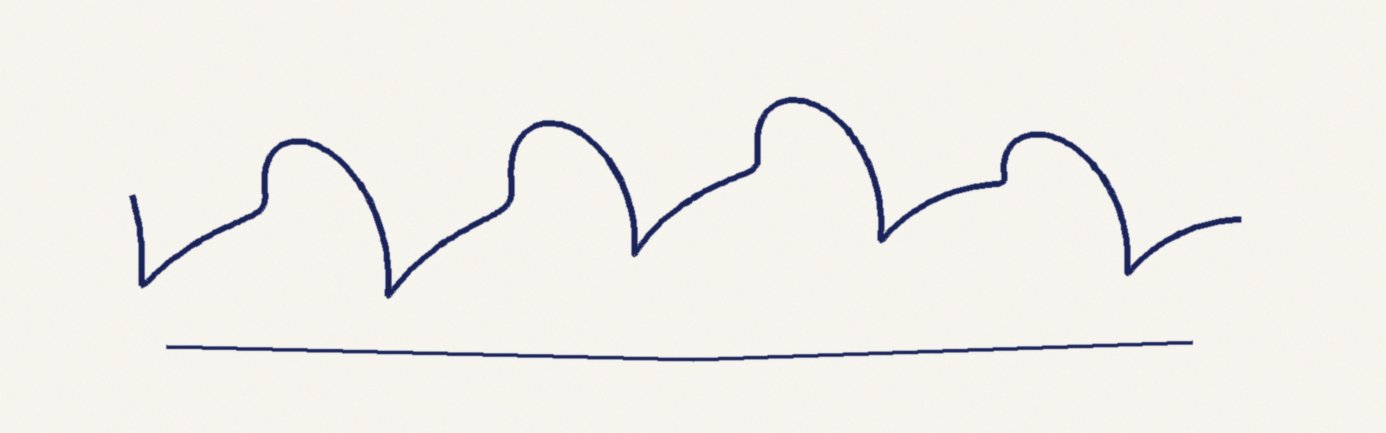
- Output: SVG, 108.2 KB, 698 paths, polygon mode, Balanced preset: 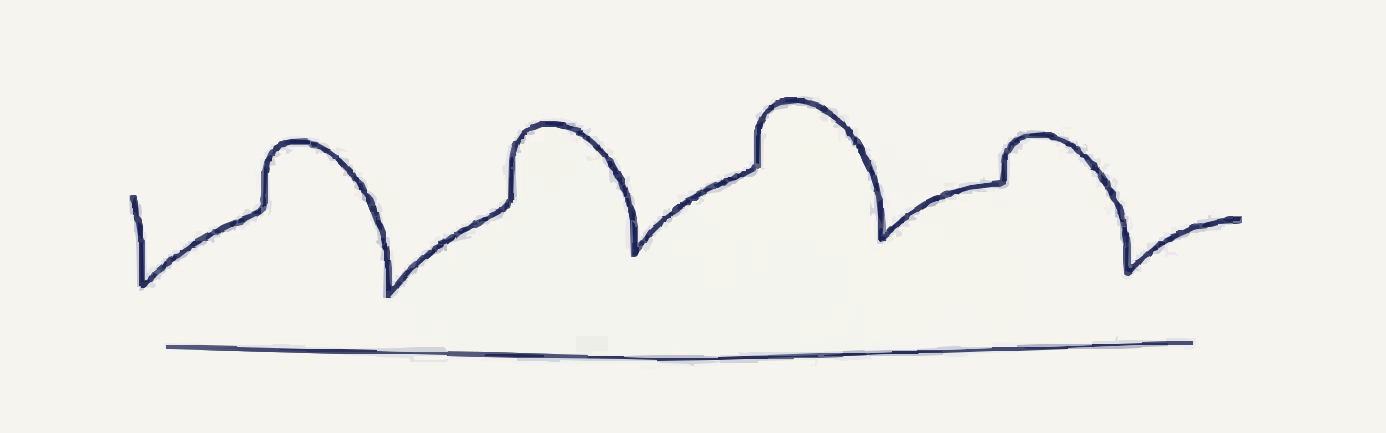
The scan counted exactly 48 quantised colours — the flat-art limit — so it stayed in polygon mode, but the paper grain was still traced: 698 paths. The first is a full-canvas rectangle in the paper colour (#F5F4EE); of the 697 shapes above it, 400 are pale paper and fringe fragments, 279 are dark pieces of ink and 18 are mid-tones in between.
### The same scan after a levels clean-up
- Input: PNG, 1386 × 433 px, 41.7 KB: 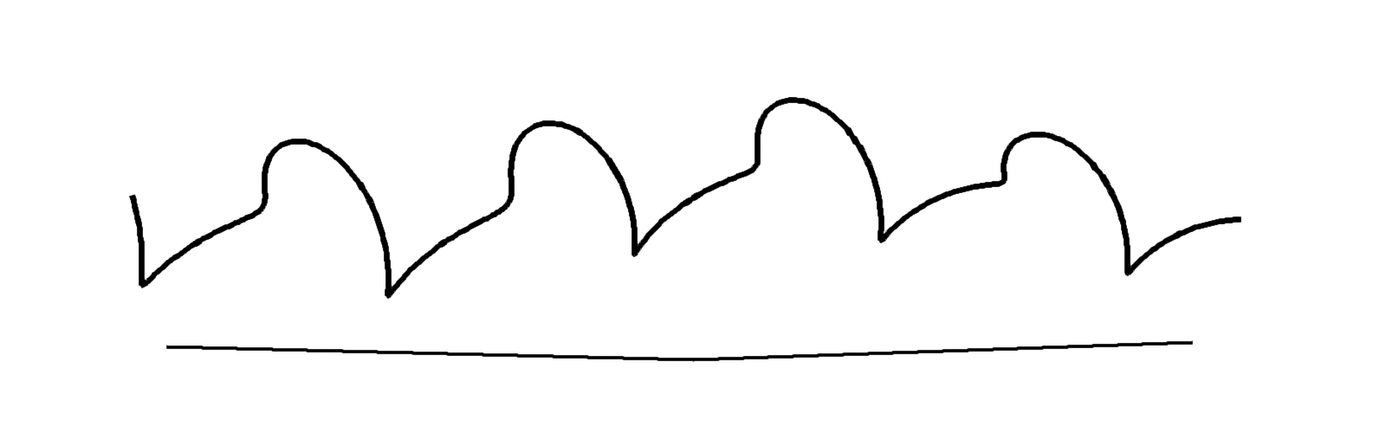
- Output: SVG, 13.5 KB, 73 paths, polygon mode, Balanced preset: 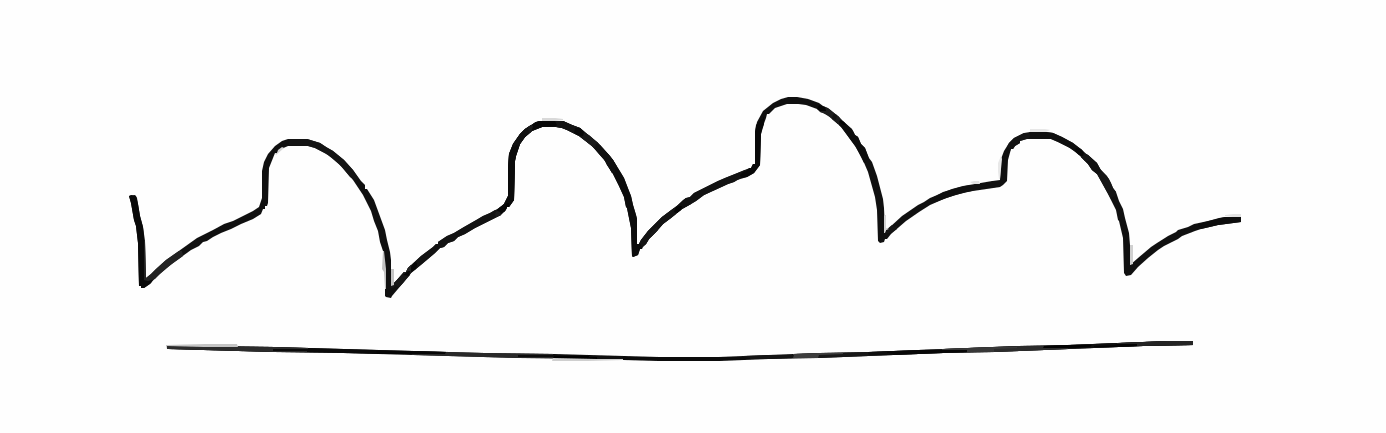
Before upload, the scan was converted to greyscale and its levels adjusted so the paper went pure white and the ink near black. That cut it to 16 quantised colours and 73 paths in a file an eighth the size, and a clean image like this goes up as a lossless PNG. A #FEFEFE background rectangle still sits under the ink; above it are 9 pale edge shapes, 60 dark ones and 3 mid-tones. The navy ink became black; recolour it in a vector editor if needed.
## How do you turn a handwritten signature into a vector file here?
The engine traces exactly the pixels you give it, so most of the quality is decided before you upload.
1. **Scan it cleanly:** Sign with a dark pen on plain white paper, then scan it or photograph it flat in even light, with no shadow. Crop tight around the ink: the converter scales every upload to about 600,000 pixels at most, so empty margins take resolution away from the strokes. If you can, raise the contrast in a photo editor until the paper is pure white.
2. **Drop or paste the image:** Drag the PNG or JPG onto the converter, or copy the image and paste it with Ctrl+V (⌘+V on a Mac).
3. **Choose a preset and check the preview:** Balanced is the default. Compact merges near-identical colours: on the grainy scan above it gave 498 paths instead of 698. Look closely at the preview for broken thin strokes and a pale halo around the ink before you download.
4. **Download, then delete the background:** The SVG download is free and needs no account. PDF needs Starter ($9.99 billed monthly, or $79 billed yearly, which is $6.58 a month); EPS, AI and DXF need Pro ($19.99 billed monthly, or $159 billed yearly, which is $13.25 a month) or Advanced; compare them on the [pricing page](https://pic2svg.com/pricing/). Without a plan and on Starter the licence covers personal, non-commercial use only, so for business letterheads or client work choose Pro or Advanced. Open the file in a vector editor such as Inkscape or Illustrator and delete the bottom, full-size rectangle to leave only the signature.
## Which file format do you need for your signature?
One trace produces every format: the SVG is the trace itself and the others are converted from it when you ask. Sizes are for the cleaned test signature above, rounded to the KB.
Source: `scripts/examples/signature-to-svg.py` (sizes) · `src/payment/plans.ts` (formats per plan) · `python/pic2svg_engine.py` (exporters)
| Where the signature goes | Format | Test file | Plan needed |
| --- | --- | --- | --- |
| Websites, email footers, vector editors (Inkscape, Illustrator, Figma), laser engraving and stamp-making software that imports SVG | SVG | 13 KB | Free, no account |
| Printed letterheads and documents sent to a print shop | PDF | 6 KB | Starter or higher |
| A workflow that asks for EPS or AI by name | EPS or AI | 26 KB | Pro or higher |
| CAD or CNC software that only accepts DXF | DXF | 62 KB | Pro or higher |
## What should you know before you trace a signature?
A trace rebuilds what the pixels show, nothing more. These limits come from the test signature above or from the engine source.
- **The background is never transparent:** A transparent PNG signature is flattened onto white before tracing, and the paper of a scan is traced as it is. Either way, the SVG starts with a rectangle the size of the whole image in the paper colour. Delete it in your editor for a see-through signature; it is in the PDF and EPS exports too; the DXF leaves it out.
- **Why grainy scans explode into hundreds of shapes:** The engine counts the image's colours on a small thumbnail: 48 or fewer means flat art and straight-edged polygons, more means spline curves. Paper texture, shadows and JPEG compression all add colours. With slightly more grain, our test signature reached 51 colours, switched to spline mode and traced as 712 paths in a 378 KB SVG.
- **Strokes are outlines, not pen lines:** Each stroke becomes a filled shape with an edge on both sides. That suits printing, stamps and fill engraving, but a pen plotter or a single-line engraving setting will trace both edges of every stroke. There is no centreline output.
- **Thin or faint strokes can break up:** The tracer discards patches up to about 4 × 4 pixels (16 px of area), which removes paper dust, and large scans are scaled down before tracing. A very fine or light stroke can lose pieces along the way, so sign with a pen that leaves a solid line.
- **Your handwriting is traced, not read:** There is no handwriting or text recognition. The output is shapes, so the letters cannot be edited as text.
- **Where your signature image goes:** To trace it, the image is written to a temporary file on our server and deleted when the trace finishes; if a trace fails partway, that file can remain in the server's temporary directory until it is cleared. It is not sent to any third-party AI or vectorizer, and images are not used to train machine-learning models. A copy stays in your browser's storage until you clear it. A share link stores the traced vector, and a small JPEG of your source image, on our server until you ask us to remove it, so do not create one for a signature.
## Signature to SVG questions
### Can I convert my signature to vector for free?
Yes. Tracing, preview and the SVG download are free and need no account. A PDF needs Starter, and EPS, AI or DXF need Pro or Advanced — as does business or client use, because the licence without a plan and on Starter is personal and non-commercial.
### How do I convert a PNG signature to SVG with a transparent background?
Drop the PNG here, then delete the background rectangle after downloading. Transparency is flattened onto white before tracing, so no file comes out transparent on its own; [PNG to SVG](https://pic2svg.com/png-to-svg/) explains how transparent PNGs are handled.
### Can I convert a JPG photo of my signature?
Yes, but shadows and textured paper produce far more shapes than a flat scan, so crop it and raise the contrast first; [JPG to SVG](https://pic2svg.com/jpg-to-svg/) covers how JPEG noise affects a trace.
### Is a vector signature the same as a digital signature?
No. A traced signature is an image of your handwriting with no certificate, signer identity or tamper protection, and pic2svg does not sign or verify documents. To sign a contract electronically, use an e-signature service; whether a pasted signature image is acceptable is up to the document's recipient.
### Is it safe to upload my signature?
It is traced by our own engine, not a third-party AI service, as described in the note above. A crisp vector of your signature is easy to copy, though, so keep the file private and do not share it by link.
### Can I use the traced signature for engraving or a stamp?
Yes. Give the laser or stamp software the SVG, or the DXF on Pro and Advanced: it opens in millimetres, and the holes in an o, e or a are their own closed outlines, as [image to DXF](https://pic2svg.com/image-to-dxf/) explains. Remove any background rectangle first, and expect filled outlines rather than single pen lines.
### Is the result a real vector or a picture inside an SVG?
Real filled `` elements with no embedded ``. You can check any SVG yourself with our guide on [how to check if an SVG is a real vector](https://pic2svg.com/how-to-check-if-svg-is-a-real-vector/).
## Related converters and guides
- **Drawing to SVG:** [Trace ink drawings, pencil sketches and hand lettering, and see what survives.](https://pic2svg.com/drawing-to-svg/)
- **Image to SVG for laser engraving:** [Trace a logo or line drawing into filled paths for engraving or cutting.](https://pic2svg.com/image-to-svg-for-laser-engraving/)
- **Logo to vector:** [Turn a PNG or JPG logo into the vector file a printer or sign maker asks for.](https://pic2svg.com/logo-to-vector/)