# Convert GIF to SVG.
Plenty of old logos, icons and clipart only exist as GIFs: a small palette, on-or-off transparency, sometimes an animation or a dithered gradient. Drop one on this page and pic2svg traces it into filled vector paths. Below: real traces of an animated traffic signal and a dithered sunset, and what each GIF feature turns into.
Text of . The page itself also carries the working image converter.
> **How do you convert a GIF to SVG?**
>
> Drop the .gif on this page. Your browser decodes it, draws a single frame onto white — normally the first, because it is drawn as soon as the file loads — and uploads that frame, as a lossless PNG for flat artwork or a JPEG for photo-like frames; the engine traces it into filled vector paths you can preview straight away. Tracing, preview and the SVG download are free and need no account; other formats depend on the [plan](https://pic2svg.com/pricing/). An animated GIF becomes one still SVG, transparent areas become a white shape, and dithered gradients become bands of colour.
## What does a traced GIF look like?
Two GIFs drawn for this page, each prepared the way this website uploads it — one frame flattened onto white and sent as a lossless PNG, simulated with Pillow, which also reads the first frame — and traced on 2026-10-22 on the default Balanced preset with automatic mode detection. Sizes and path counts are read from the files.
### An animated traffic signal, three frames
- Input: GIF, 360 × 600 px, 12.9 KB: 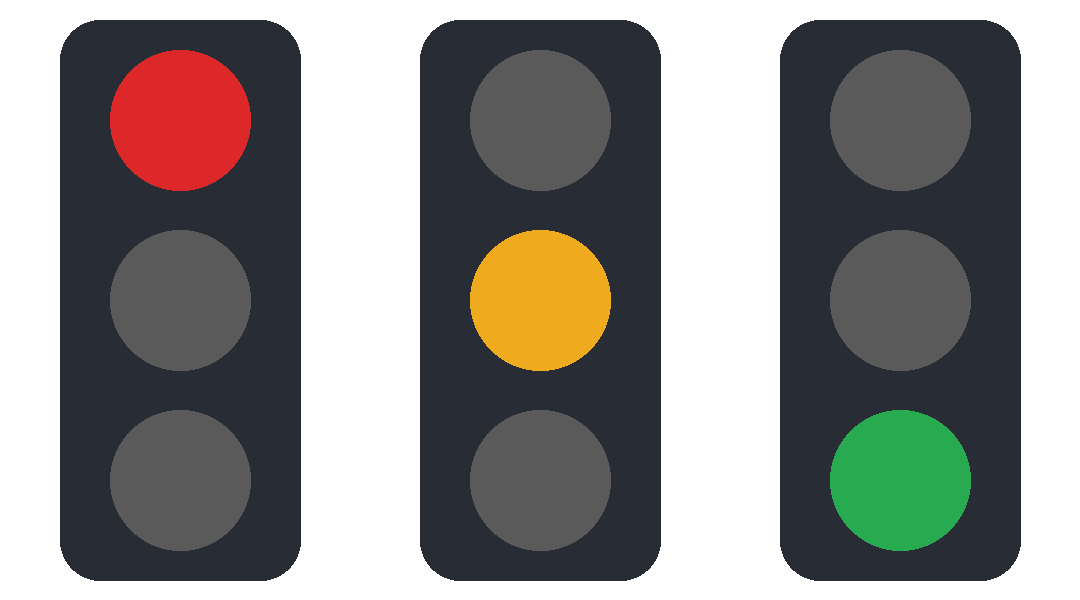
- Output: SVG, 4.6 KB, 5 paths, spline mode, Balanced preset: 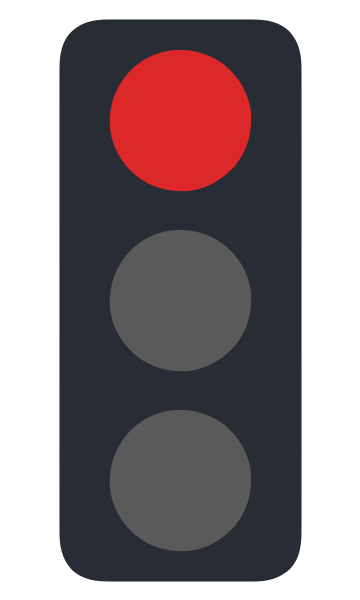
Only the first frame — red lamp lit — is in the SVG; the amber and green frames are gone. The GIF has an eight-colour palette and hard edges; it counted 52 quantised colours on the engine's 256-pixel thumbnail, so it traced in spline mode, as 5 paths: the white background, the housing and the three lamps.
### A dithered 16-colour sunset
- Input: GIF, 600 × 400 px, 14.1 KB: 
- Output: SVG, 129.2 KB, 150 paths, spline mode, Balanced preset: 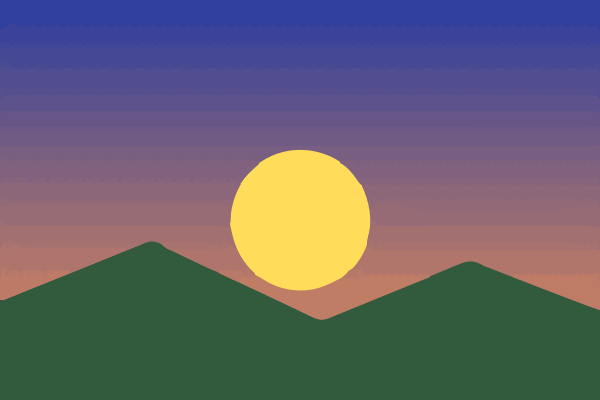
Dithering fakes a gradient by scattering pixels of the palette's 16 colours. The engine turns the sky into bands, but the scatter along each band's edge stays as small shapes: 150 paths. The same art reduced to the same 16 colours without dithering (measured, not shown) traced as 24 paths. Either way the sky comes back as bands, not a smooth fade.
## How do you turn a GIF into a vector file here?
Four steps on this page. Most of the result is decided by the frame and the copy you start from.
1. **Choose the frame:** If you want a frame other than the first from an animated GIF, export that frame as a PNG in an image editor (GIMP opens each frame as a layer) and drop the PNG instead.
2. **Drop or paste the GIF:** Drag the .gif onto the converter, or copy the image and paste it with Ctrl+V (⌘+V on a Mac). The engine never upscales, so a 64-pixel icon is traced at 64 pixels; use the largest copy you have.
3. **Pick a preset and check the preview:** Balanced is the default. Compact merges near-identical colours, which helps most on dithered GIFs: it traced the sunset above as 22 paths instead of 150. Look at flat areas for speckles before you download.
4. **Download the format you need:** The SVG download is free and needs no account. PDF needs Starter ($9.99 billed monthly, or $79 billed yearly, which is $6.58 a month); EPS, AI and DXF need Pro ($19.99 billed monthly, or $159 billed yearly, which is $13.25 a month) or Advanced. Without a plan and on Starter the licence covers personal, non-commercial use only; Pro and Advanced cover commercial use. Compare the plans on the [pricing page](https://pic2svg.com/pricing/).
## What happens to each GIF feature?
Read from the converter's upload code and the engine, and measured on the two GIFs above.
Source: `scripts/examples/gif-to-svg.py` · `src/convert/Converter.tsx` (prepareForTrace)
| In the GIF | In the SVG | Measured here |
| --- | --- | --- |
| Animation (several frames) | One still frame; the others are dropped | 3-frame signal → first frame only |
| Transparency (each pixel fully on or off) | Painted white before tracing; the white comes back as its own shape | Signal background → #FFFFFF on upload |
| Palette of up to 256 colours | Traced as RGB fills; flat colours come back as flat fills | 8-colour signal → 4 distinct fills on upload |
| Dithered gradient | Bands of colour with dotted seams, not a smooth fade | 150 paths dithered vs 24 undithered |
## GIF to SVG questions
### Is converting a GIF to SVG free?
Yes, as an SVG: tracing, preview and the SVG download are free and need no account. PDF needs Starter ($9.99 billed monthly, or $79 billed yearly, which is $6.58 a month) or higher, and EPS, AI and DXF need Pro or Advanced.
### Can I make an animated SVG from an animated GIF?
No. One frame is traced and the SVG is a still image. To vectorize several frames, export each as its own image and trace them together: after a free sign-in a [batch](https://pic2svg.com/batch-image-to-svg/) takes up to 12 images.
### Why does my small GIF logo have so many paths?
Usually dithering or soft edges: the tracer keeps in-between colours as small shapes. Our hard-edged eight-colour test signal came back as 5 paths, one per shape; the dithered sunset as 150. Try Compact, or reduce the colours without dithering before tracing; [reducing the nodes in a traced SVG](https://pic2svg.com/reduce-svg-nodes/) measures each fix.
### Will the transparent background stay transparent?
No. Transparent pixels are painted white before tracing, so the SVG has a white background shape. Delete it in a vector editor to get a see-through logo again.
### Is the result a real vector?
Yes: filled `` elements with no embedded ``. See [how to check if an SVG is a real vector](https://pic2svg.com/how-to-check-if-svg-is-a-real-vector/) to verify any file.
## Related converters and guides
- **Image to SVG:** [Trace a photo, logo or illustration into an SVG of filled vector paths.](https://pic2svg.com/)
- **WebP to SVG:** [Trace a WebP sticker or web graphic, and see what its transparency becomes.](https://pic2svg.com/webp-to-svg/)
- **Reduce SVG nodes:** [Cut the nodes in a traced SVG: what adds them and which fixes work, measured.](https://pic2svg.com/reduce-svg-nodes/)